
Daynue app icon

Daynue

Daily Planner · Productivity

Daily planner for iPhone, iPad & Apple Watch

Your whole day, on one calm timeline.

Tasks in one app, meetings in another, projects in a third. Daynue brings them together, so you can see what's next, plan in seconds and actually move your projects forward.

  • Free iCloud sync
  • iPhone, iPad & Apple Watch
  • No account, no tracking
Daynue screenshot
Daynue screenshot

The problem

Your day is split across too many apps.

Your calendar knows about meetings but not your to-dos. Your to-do list knows nothing about time. And big goals sit in a note you never open. Daynue puts it all in one place.

  • Tasks and calendar events live in separate apps

    Tasks, events and projects on one timeline

  • Adding a task means tapping through forms

    Type “dentist Friday 3pm” and it's scheduled

  • Sync and widgets cost extra

    iCloud sync, widgets and Apple Watch are free

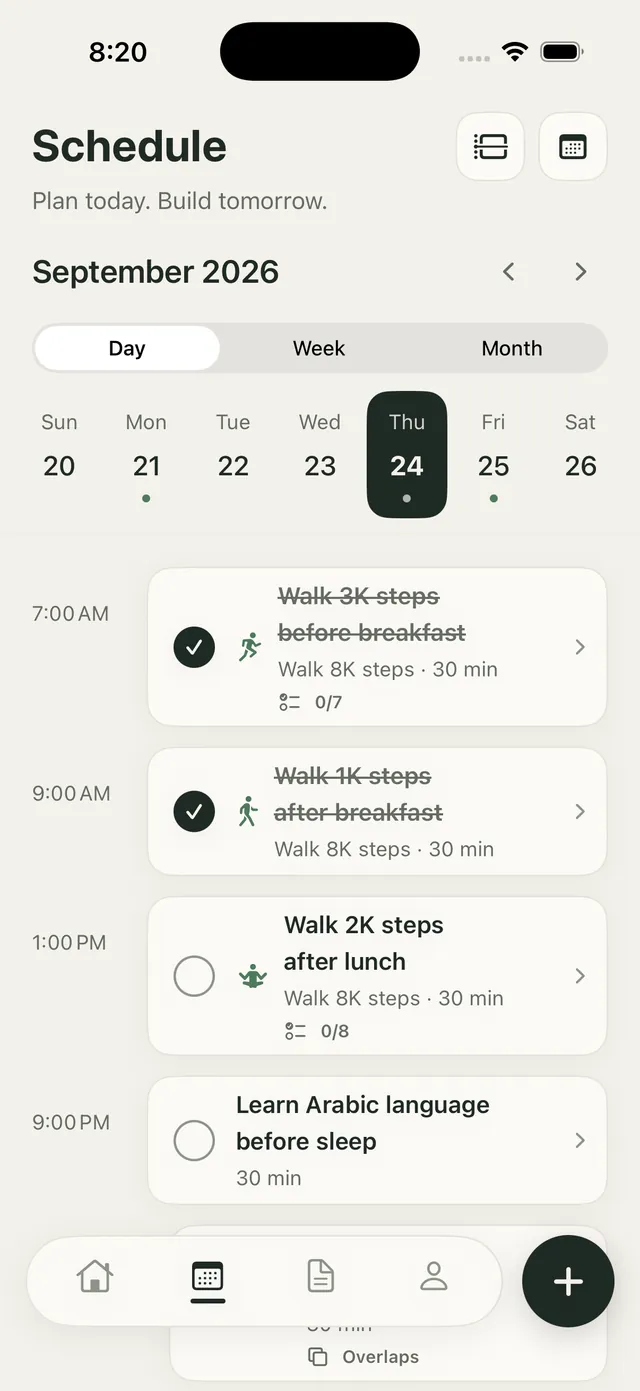
Plan today

See your day the way it really is.

Your calendar events and tasks sit side by side, in a readable day list or a proportional hour grid for time blocking. Drag a task into a free slot, stretch it to fit, and see overlaps before they happen.

  • Day list or hour grid, your choice
  • Drag to reschedule, snap to 15 minutes
  • Week and month views with drag and drop
Daynue screenshot

Type naturally

Write it like you'd say it.

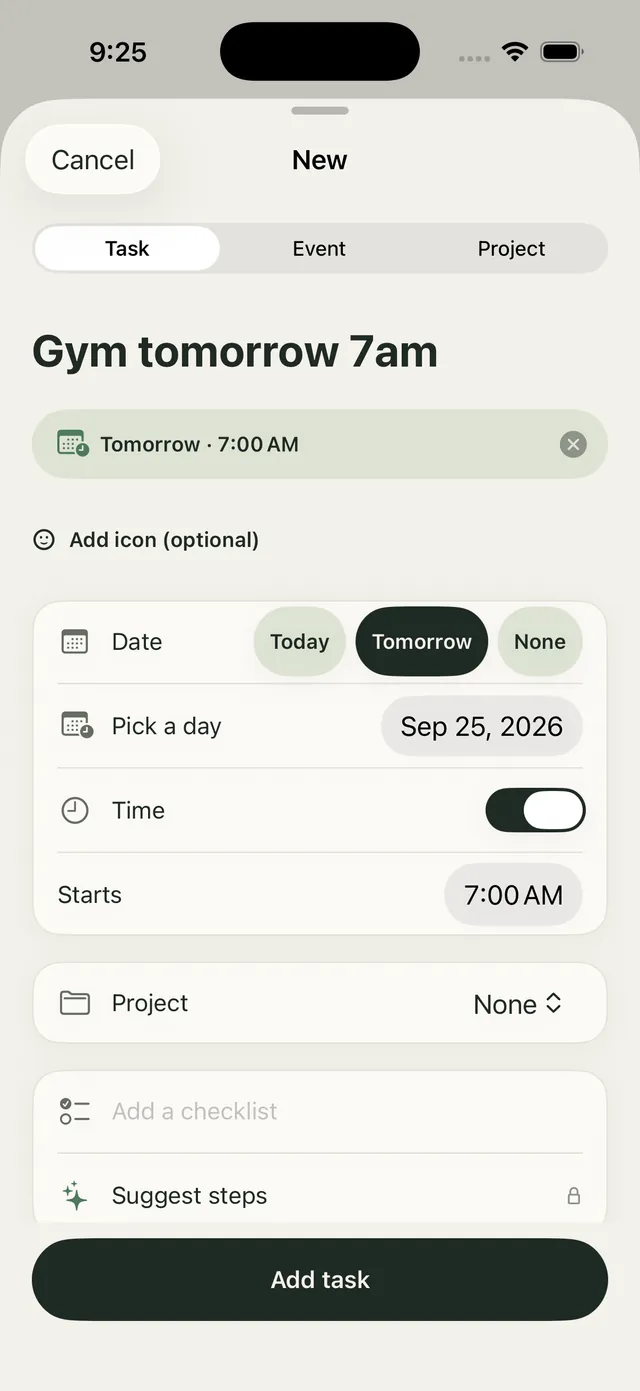
Type “gym tomorrow 7am every week” and Daynue fills in the date, time and repeat for you. Add “#health” and it lands in the right project. Planning takes seconds, not taps.

  • Dates, times and repeats from plain words
  • Checklists to break tasks into steps
  • Reminders with Done and Snooze buttons
Daynue screenshot

Move projects forward

Big goals, small daily steps.

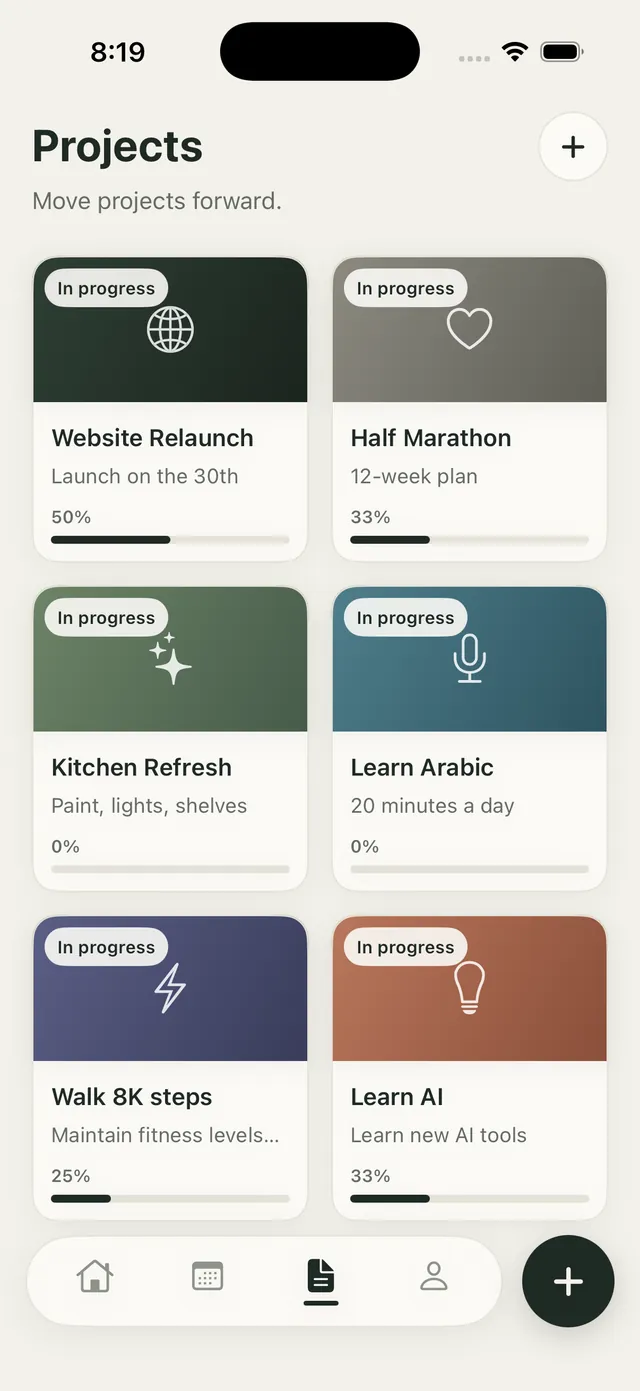
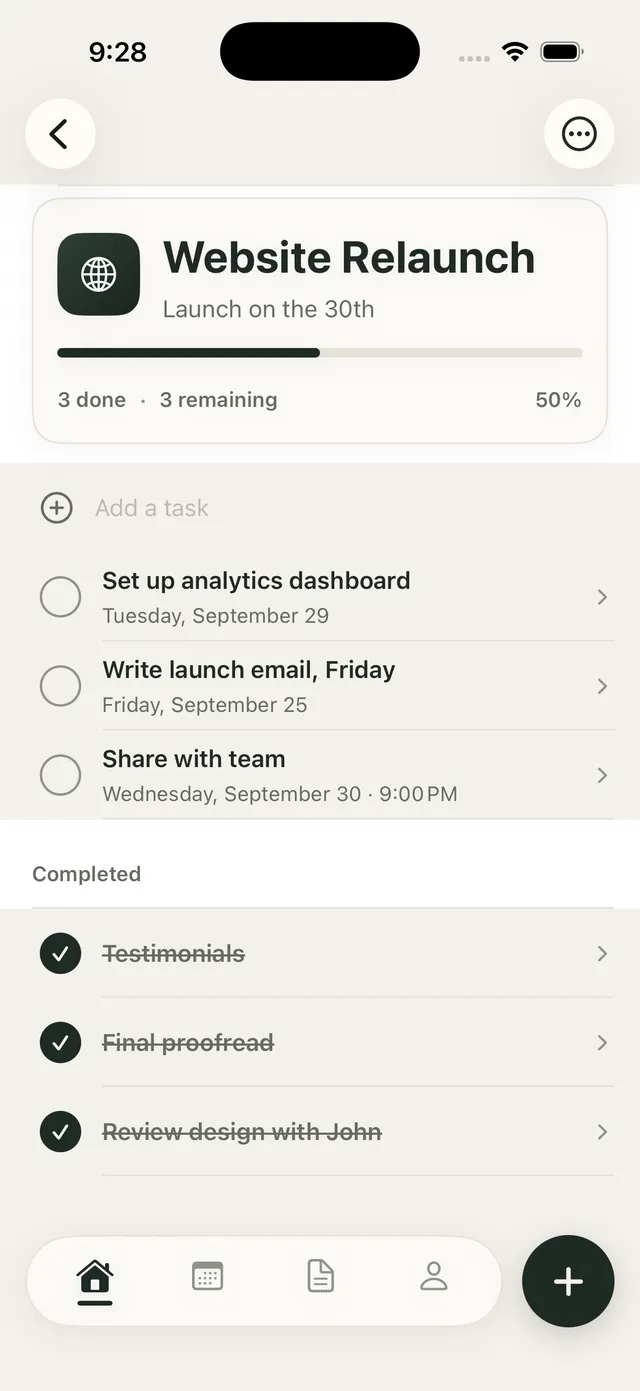
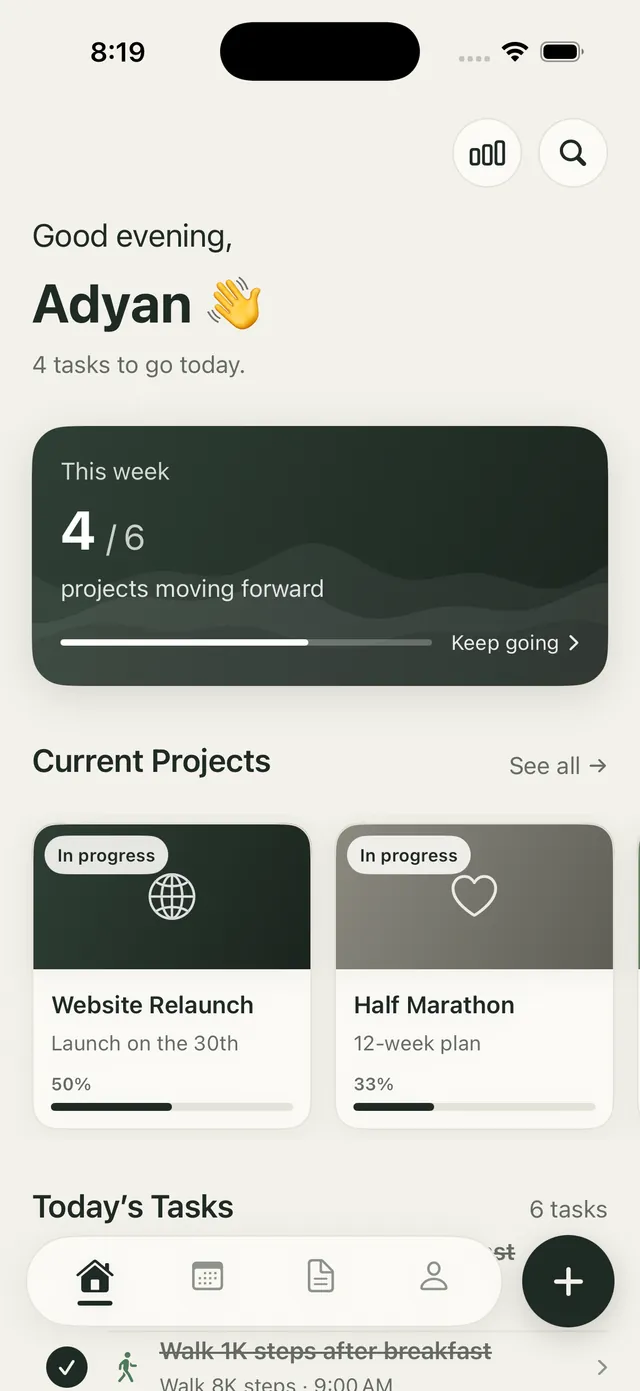
Group tasks into lightweight projects and watch the progress bar fill as you go. Whether it's a website launch or a half marathon, you'll always know what's done and what's next.

  • Projects with progress at a glance
  • Bring in lists from Apple Reminders
  • 3 active projects free, unlimited with Premium
Daynue screenshot

Everything inside

Everything you need to plan well.

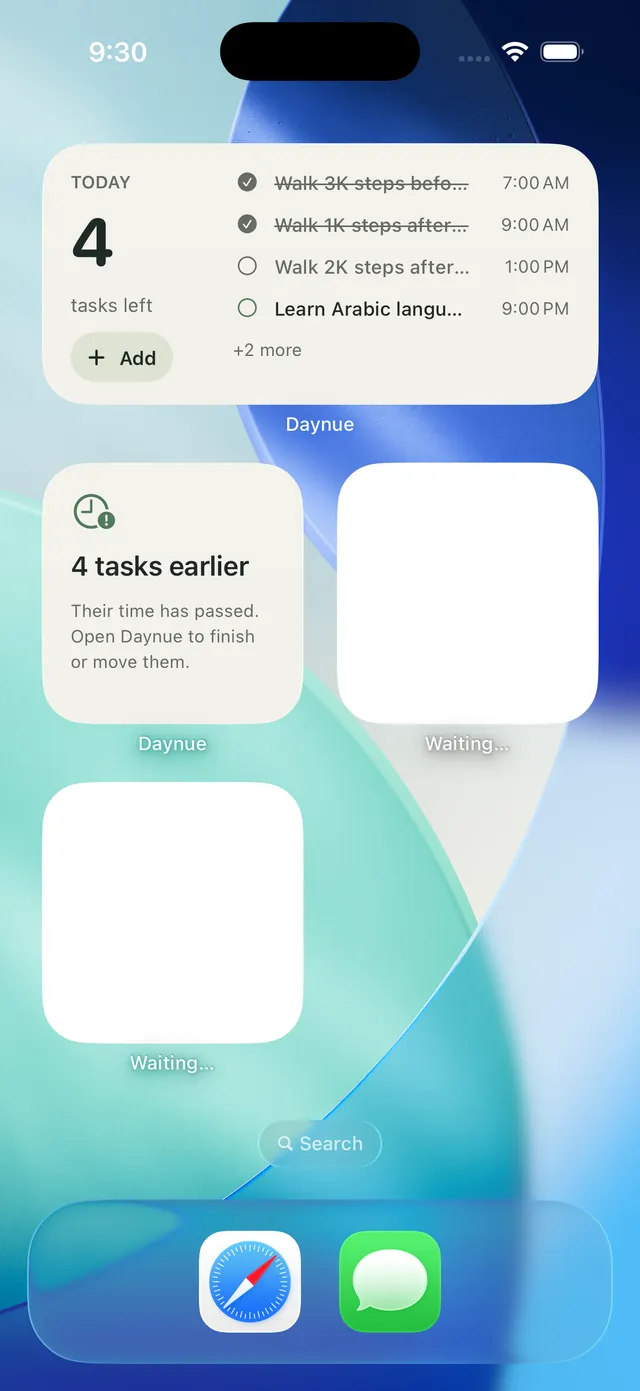
  • Interactive widgets

    Tick tasks off right from your Home Screen or Lock Screen.

  • Apple Watch

    See today, tick tasks and check what's next from your wrist.

  • Siri & Shortcuts

    “Add a task in Daynue” or “What's next in Daynue”, plus a Control Center button.

  • Focus timer

    Premium focus sessions on your Lock Screen and in the Dynamic Island.

  • Scan an event

    Premium turns a photo of a poster, ticket or invitation into an event.

  • Seven languages

    Including Arabic with full right-to-left support.

Pricing

Free to start. Premium when you want more.

Free

Everything you need, no time limit

  • Unlimited tasks and the full calendar
  • Time blocking, checklists and repeats
  • Free iCloud sync across your devices
  • Widgets, Apple Watch, Siri and Shortcuts
  • 3 active projects

Premium

Monthly, yearly or a one-time purchase

  • Unlimited projects
  • Focus timer with Live Activity
  • Insights: weeks, streaks and projects
  • Scan an event from a photo
  • Suggest steps with Apple Intelligence
  • Custom repeats and extra project colours

Premium is available monthly, yearly, or as a one-time lifetime purchase.

Privacy

Your plans stay yours.

No account, no ads, no analytics. Your calendar events stay in your calendar, and your tasks sync privately through your own iCloud. We never see any of it.

  • No account needed
  • No tracking or analytics
  • Sync through your own iCloud

FAQ

Questions, answered

Does Daynue replace my calendar app?

It works with it. Daynue reads and edits the events in your existing calendars, so everything stays in sync with Apple Calendar and any calendar account you already use.

Is iCloud sync really free?

Yes. Sync across your iPhone, iPad and Apple Watch is free, and it runs through your own private iCloud.

Can I import my tasks from Apple Reminders?

Yes. In Settings you can bring in your open reminders, with their dates and repeats, and turn each list into a project. Reminders itself is never changed.

Which languages does Daynue support?

English, Arabic, Spanish, Portuguese, French, German and Hindi, with a full right-to-left layout in Arabic.

Plan today. Move projects forward.

Download Daynue free and see your whole day in one calm place.

Free · In-app purchases · iPhone · iPad · Apple Watch · Requires iOS 18 or later